If you use Eloquent Accessor in the Filament table, how do you make it searchable? Let me show you an example.
For example, you have users.first_name and users.last_name DB columns:
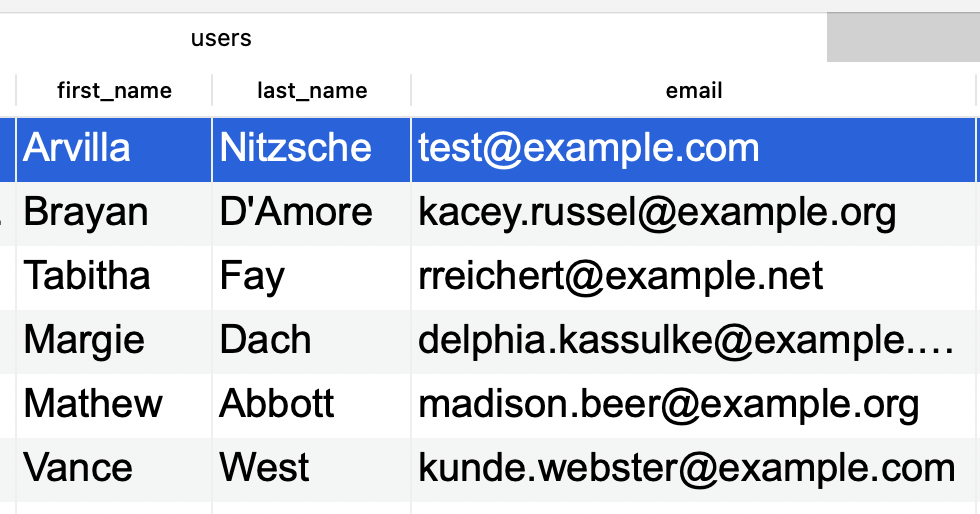
And you want to display them together as "Full name" in the Filament table column.
That part is easy. Filament will automatically recognize the Eloquent Accessor:
app/Models/User.php:
class User extends Authenticatable{ // ... public function getFullNameAttribute() { return $this->first_name . ' ' . $this->last_name; }}app/Filament/Resources/UserResource.php:
public static function table(Table $table): Table{ return $table ->columns([ Tables\Columns\TextColumn::make('full_name'), Tables\Columns\TextColumn::make('email'), Tables\Columns\TextColumn::make('created_at'), ]);It works!
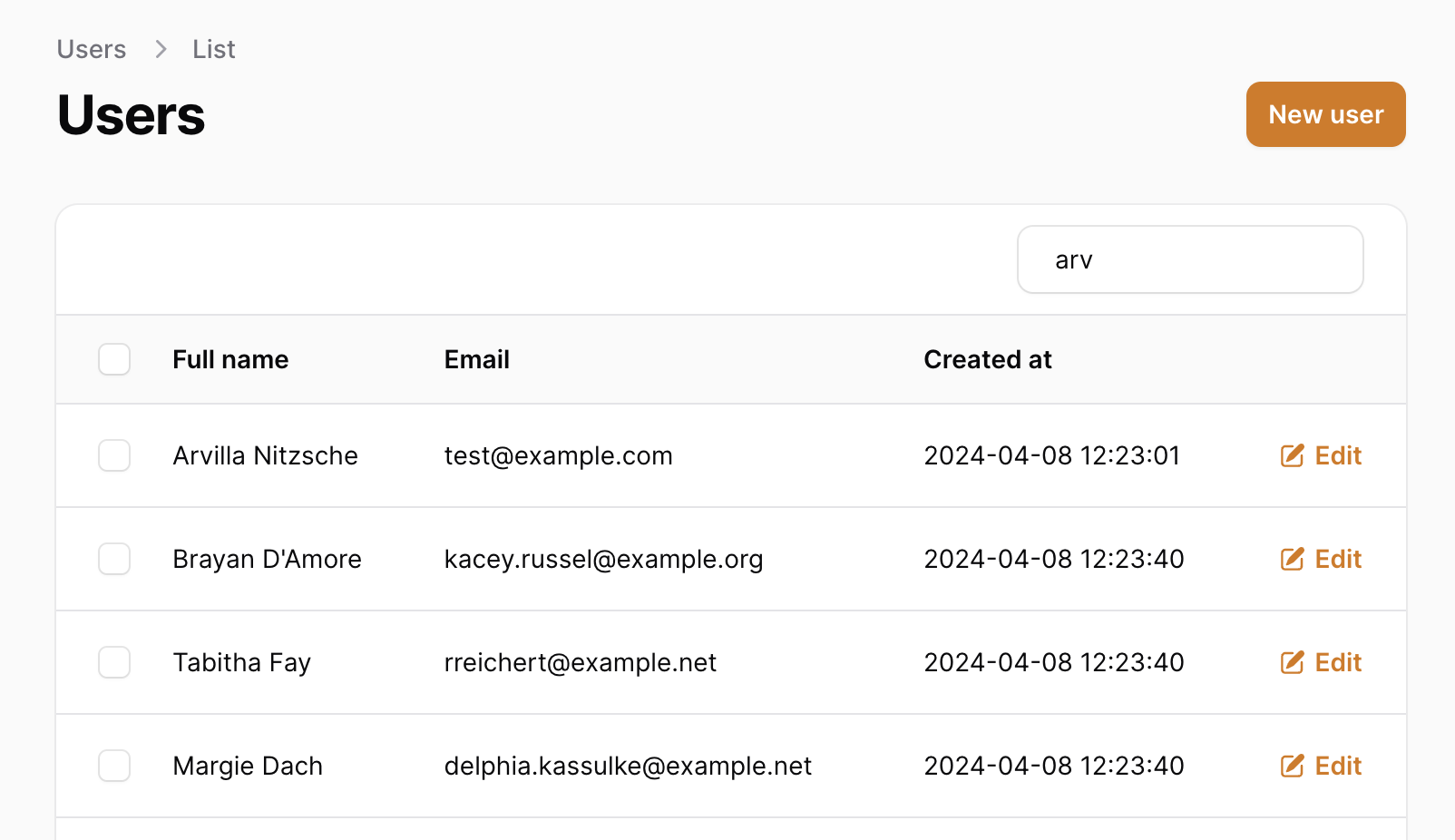
But try to use ->searchable() on that column:
TextColumn::make('full_name')->searchable(),It will throw an error after the search:
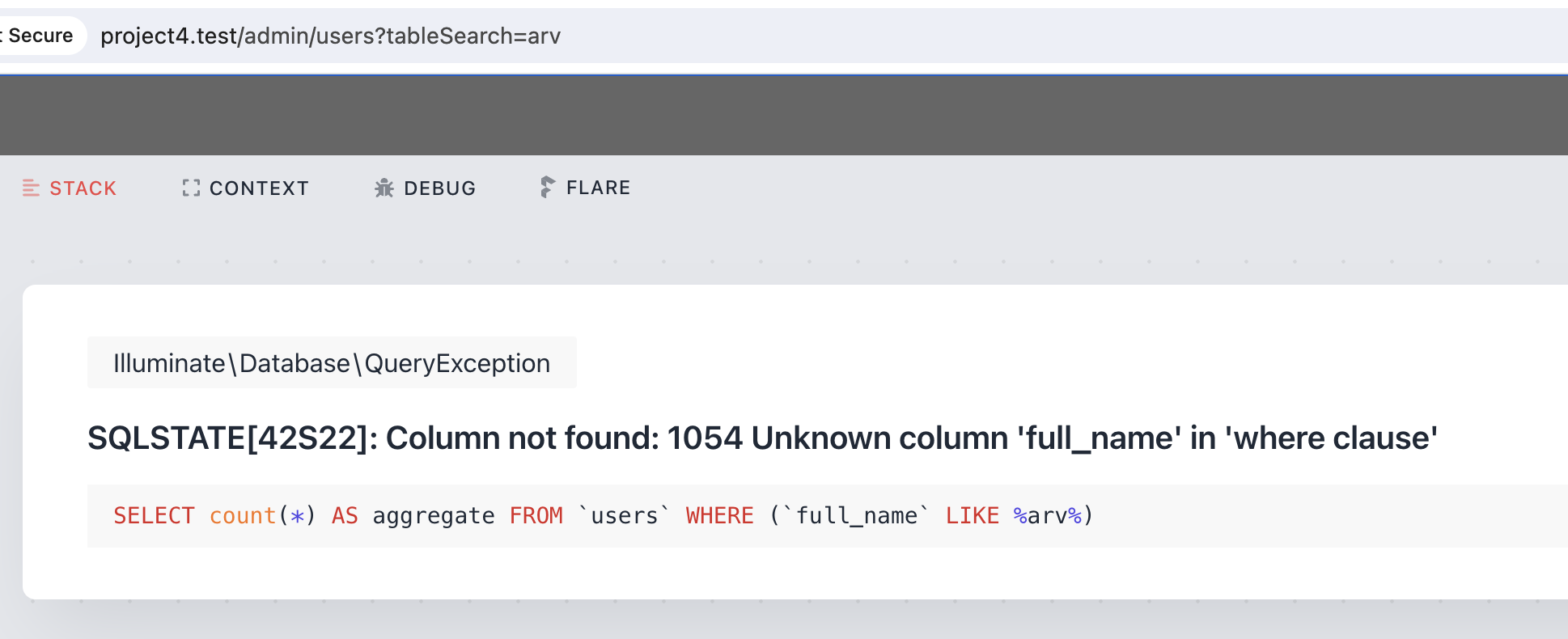
The solution is to pass all the related columns in the parameter array of the searchable() method:
TextColumn::make('full_name')->searchable([ 'first_name', 'last_name']),And now the search works!
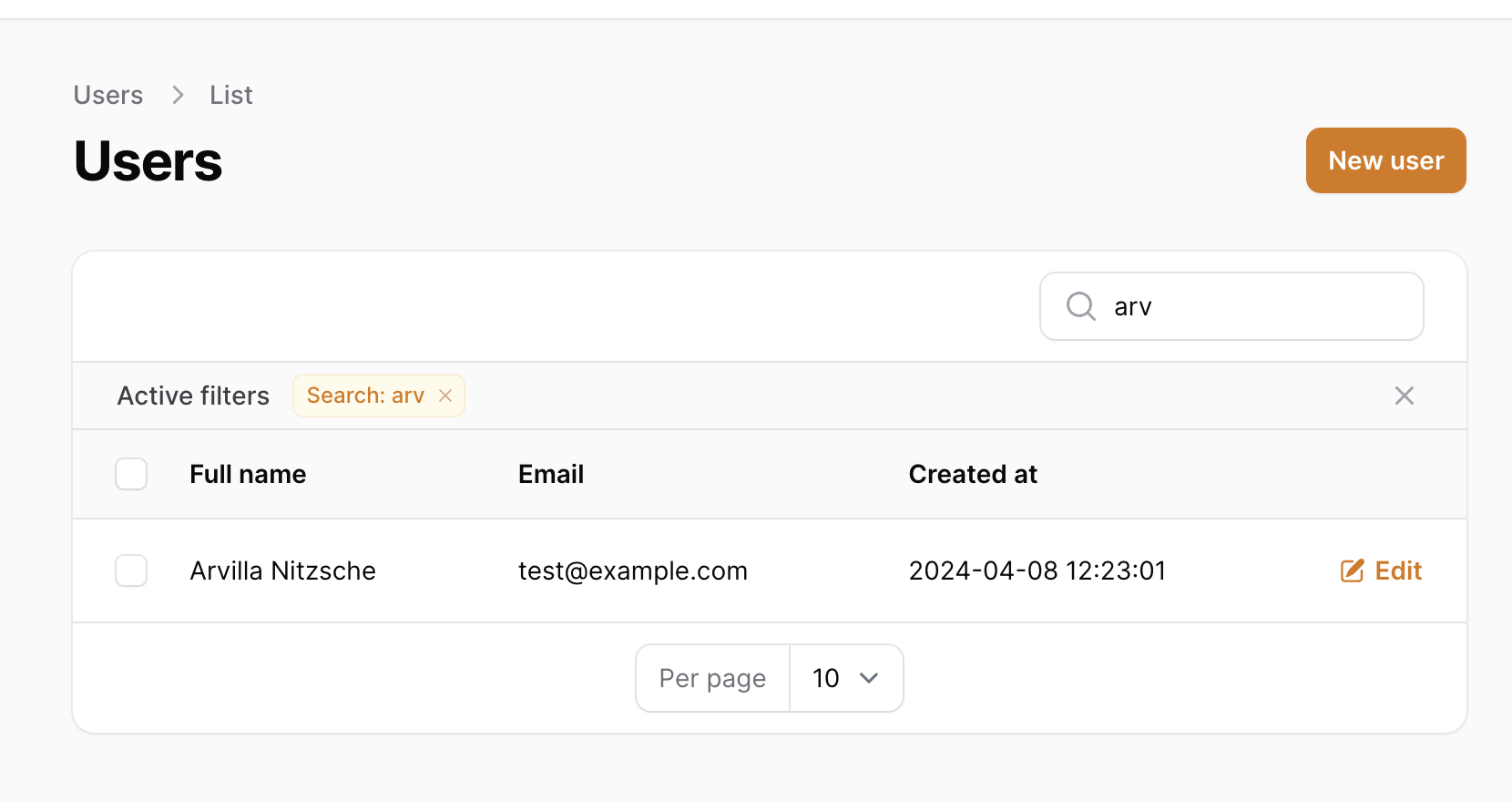
Read more in the official Filament docs.
If you want more Filament examples, you can find more real-life projects on our FilamentExamples.com.
-front_grid.jpg)
-front_grid.jpg)
-front_grid.jpg)
No comments yet…